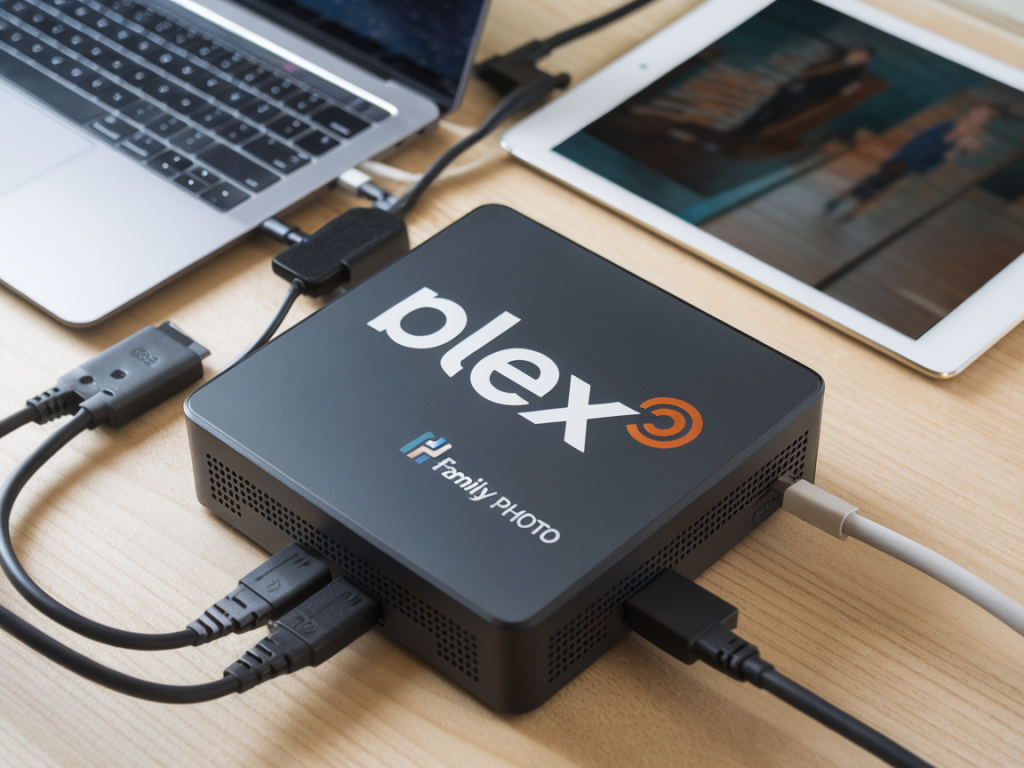
I’ve been juggling Plex libraries, dozens of family members’ photo backups, and a rotating cast of devices for years. Choosing the right NAS (Network Attached Storage) to serve both high-quality Plex streaming and reliable family photo backups is one of those deceptively tricky decisions: the wrong pick will leave you re-encoding media, waiting on thumbnails, or desperately reconstructing lost photos. Below I walk through how I choose a NAS for those two priorities and the practical trade-offs I consider so you can pick the right device for your needs.
Start with your real-world use cases
Before specs, I define how I’ll actually use the NAS. Ask yourself:
- How many simultaneous Plex streams do I expect (transcoded vs direct play)?
- What resolution are the media files (1080p, 4K, HDR)?
- How many family members will back up photos, and how big are their libraries?
- Do I want on-device photo organization (faces, albums), or will I use cloud services for that?
- Is remote access necessary, and do I want easy mobile backup for photos?
Answering these will shape whether you need a low-power 2-bay NAS or a beefy 4–8+ bay chassis with a strong CPU and ECC RAM.
Key hardware considerations for Plex streaming
Plex streaming performance depends mostly on two things: whether media can play as-is (direct play/direct stream) and the NAS’s ability to transcode when it can’t. Here’s what I focus on:
- CPU and hardware transcoding: Plex uses CPU (or dedicated silicon) to transcode. Intel CPUs with Quick Sync (e.g., Celeron with integrated GPU, i3/i5) or NAS CPUs that expose hardware transcoding are excellent for on-the-fly transcode. If you expect multiple 1080p transcodes or a few 4K-to-1080p transcodes, aim for a model with hardware transcoding support—Synology’s Celeron models (e.g., DS920+) or many Intel-based QNAP units are proven options.
- RAM: More RAM helps with metadata, caching, and running containers/plugins. For light use, 2–4 GB is fine; for multi-stream or additional apps, 8 GB+ is safer.
- Network: Gigabit Ethernet is the baseline. If you serve multiple simultaneous high-bitrate streams or host multiple devices, consider 2.5GbE/10GbE or link aggregation.
- Drive performance: HDDs are fine for storage; SSDs for cache improve responsiveness for library metadata and small files. For heavy Plex libraries, an SSD cache (or using hybrid bay for a small NVMe) reduces stutter and load times.
Key considerations for family photo backups
Photo backups prioritize capacity, reliability, and easy mobile access. Here’s what I prioritize:
- Capacity and growth: Photos add up fast—especially with multiple family members. Pick drive capacity with a realistic 3–5 year growth projection. It’s easier to buy a larger chassis now than migrate later.
- Redundancy vs backup: RAID is not a backup. RAID (e.g., RAID 1/5/6) protects against drive failure but not accidental deletion or corruption. Plan for offsite or cloud backups (see replication options below).
- Photo management software: Synology Photos, QNAP QuMagie, and even Plex Photos provide different features. Synology and QNAP offer mobile auto-backup, facial recognition, and album tools. If family members want easy upload from phones, verify the NAS vendor’s mobile app quality.
- Snapshots and versioning: Look for Btrfs/extended file system support and snapshot features to recover from accidental deletes or ransomware.
RAID choices and drive types
I always separate the question of drive type from RAID configuration:
- HDD choice: Use NAS-specific drives (Western Digital Red Plus/Red Pro, Seagate IronWolf) for 24/7 reliability. For large archival photo collections, choose 5400–7200 rpm drives depending on performance needs.
- RAID level: For 2-bay setups: RAID 1 or SHR (Synology Hybrid RAID) is common. For 3+ bays: RAID 5 is a balance of capacity and protection; RAID 6 is safer for larger arrays (2-drive redundancy). If you're running mission-critical family archives, prefer RAID 6 or ZFS with double parity.
- Consider Hot Spares: For multi-bay NASes, adding a hot spare speeds recovery.
Software ecosystem: Plex vs vendor tools
I use Plex for media because of its cross-device compatibility and polished clients. But for photos I often prefer vendor ecosystems (Synology Photos, QNAP Photos) because they provide:
- Automatic mobile backup and selective sync
- Face recognition and albums optimized for photos
- Snapshots and integrated backup to cloud providers
That said, you can store your photos on the NAS and use Plex for viewing if you prefer a single interface. Just remember, Plex’s photo management features are not as full-featured as dedicated photo suites.
Remote access, security, and ease of use
Remote access should be simple but secure. I enable vendor-provided reverse proxy or QuickConnect-style services, but I also:
- Use strong passwords and 2FA for NAS accounts
- Limit port forwarding; prefer a VPN into the home network for full access
- Keep the NAS firmware and packages up to date
- Use firewall rules and disable unused services
Backup strategy: don’t rely on RAID alone
My personal backup approach for family photos:
- Primary storage: NAS (RAID-protected)
- Local backup: External USB drive rotated offsite (monthly)
- Offsite backup: Cloud sync/backup of the photo share to a service like Backblaze B2, Amazon S3 Glacier, or vendor cloud backup (Synology C2).
- Snapshots: Enable filesystem snapshots (Btrfs or ZFS) for quick recovery from accidental deletes or ransomware.
Automated replication (e.g., Synology Hyper Backup, QNAP Hybrid Backup) makes cloud/remote backups manageable without manual steps.
Budget examples and recommended models
Based on typical budgets and needs, here are the builds I often recommend:
| Light user (Plex direct play, family photo auto-backup) | Synology DS220+ (2-bay, Celeron, 2–6 GB RAM) with 2 x 4TB NAS HDDs. Good for 1–2 streams and straightforward photo backups. |
| Family/home media (some transcoding, 4–8 photo users) | Synology DS920+ or QNAP TS-453D (4-bay, Celeron/Intel with hardware transcoding), 4 x 6TB NAS HDDs in SHR/RAID5, NVMe cache for responsiveness. |
| Power user / multi-4K streams / large archives | QNAP TS-h973AX or TrueNAS Mini X+ (Xeon/AMD Ryzen, ECC RAM, ZFS), 6–8 bays with RAIDZ2/RAID6, 10GbE networking. Combine with cloud backup for photos. |
Testing I perform before committing
Whenever I evaluate a NAS for Plex and photos, I run a few quick checks:
- Stream a 4K HDR file to a mobile and a TV simultaneously to see if direct play works and to check transcoding performance.
- Simulate mobile photo uploads from multiple phones to judge indexing speed and thumbnail generation.
- Measure library browsing latency (does listing albums take too long?).
- Test restore from snapshots and restore a deleted photo to validate recovery workflow.
If you make your choices based on the use cases above—CPU and transcoding for Plex, capacity and mobile-friendly photo tools for backups, and a layered backup plan—you’ll end up with a NAS that feels like an invisible but reliable member of the household. Pick for features you’ll use today and headroom for the next few years; that’s the balance that’s saved me from painful migrations more than once.