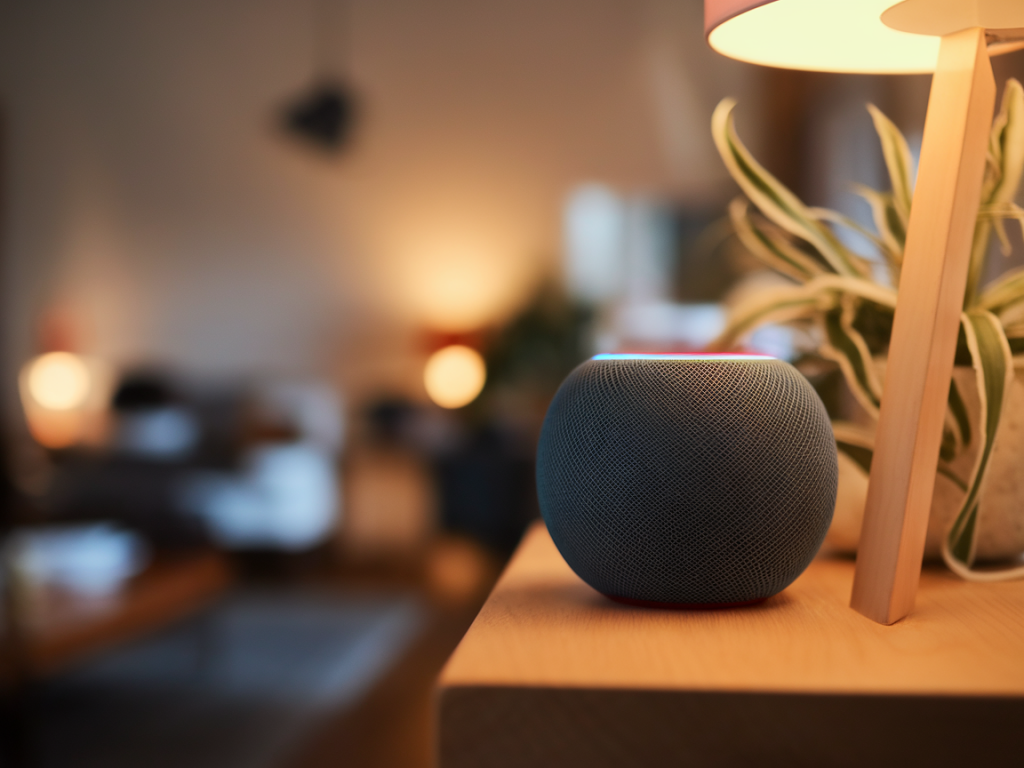
I’ve been testing smart speakers and home hubs for years, and when I first started integrating HomePod mini into my privacy-conscious smart home, I approached it with the same skeptical checklist I use for any device that sits in a shared living space and listens for commands. Below I explain how the HomePod mini handles privacy, where it shines, the trade-offs you should expect, and practical setup tips so you can decide whether it belongs in your home.
Why privacy-minded users consider the HomePod mini
There are a few built-in qualities that make the HomePod mini attractive if privacy is a priority:
On-device processing for many requests: Apple pushes a lot of Siri processing on-device for common requests (timers, alarms, device control), which reduces the need to send audio to Apple’s servers.HomeKit-first architecture: HomeKit is designed around encrypted, authenticated device control. When you control smart lights, locks, and sensors through HomeKit, communications are end-to-end encrypted and tied to your Apple ID.Minimal data retention by default: Apple publicizes that recording retention and Siri history can be limited and that you can opt out of sharing audio with Siri trainers.Local hub functions: HomePod mini can act as a HomeKit hub, enabling automation and remote secure access without requiring third-party cloud services for basic flows.Those properties are why many privacy-minded people lean toward Apple hardware. But “privacy-friendly” is not the same as “perfect” — and whether the HomePod mini meets your needs depends on how you define privacy and what features you need.
What HomePod mini does locally — and what still goes to the cloud
Apple has pushed hard on local intelligence for Siri, but not everything happens on the device:
Local handling: Basic commands for timers, local HomeKit device control, and some on-device voice recognition are handled locally on the HomePod mini or via a nearby iPhone.Cloud-dependent tasks: Web searches, complex Siri queries, requests that require third-party service data (news briefings from some outlets, some calendar or email queries unless you’re using iCloud), streaming music from services other than Apple Music using Siri, and Siri’s language model improvements may involve Apple servers.Siri audio clip handling: By default, short snippets may be sent to Apple servers to process intent. You can disable sharing recordings with Apple for Siri improvement; that reduces some processing but can limit diagnostic help.In practice, this means everyday smart home control and many voice interactions stay local or within your Apple ecosystem, but anything that touches external knowledge sources or third-party services can leave the local boundary.
Privacy trade-offs worth knowing
No single vendor gives you maximum convenience and maximum privacy simultaneously. Here are the important trade-offs to weigh:
Ecosystem lock-in: To maximize privacy, you’ll tend to stay inside Apple’s ecosystem: HomeKit-enabled accessories, iCloud, Apple Music, and iPhones or iPads for control. If you use lots of non-HomeKit devices or Android phones, you’ll lose local control benefits and may need cloud bridges.Third-party accessory support is limited: Many smart devices only support Alexa or Google natively. Using HomeKit often requires bridges (Philips Hue Bridge, Matter bridges, or Homebridge community solutions)—those bridges may introduce cloud dependencies or security considerations.Voice assistant limitations: Siri is improving but still trails Google Assistant in web knowledge and Alexa in third-party skills. For privacy-focused users this is acceptable, but understand that more complex voice interactions may rely on the cloud.Apple account requirement: A HomePod mini needs an Apple ID to unlock full features and remote access. If you want fewer cloud-tied accounts, that’s a constraint.How the HomePod mini stacks up against Echo and Nest on privacy
| Feature | HomePod mini (Apple) | Echo (Amazon) | Nest Audio (Google) |
|---|
| Local processing | Good for basic requests; HomeKit local control | Improving via local wake-word; many features cloud-based | Some on-device features; heavy cloud for Google services |
| Encrypted smart home protocol | HomeKit end-to-end encryption | Works with many devices via cloud or local APIs; No single encryption standard | Works with Matter and local options but historically cloud-focused |
| Third-party ecosystem | Limited; HomeKit-first | Extensive skills and native integrations | Strong Google service integration, broad device support |
| Privacy controls | Clear settings; opt-out for Siri audio collection | Controls exist but data often used for personalization/ads | Controls exist but Google uses data for personalization/ads |
Short version: Apple emphasizes privacy and local control more than Amazon and Google, but you pay for that with fewer integrations and a stronger tie to the Apple ecosystem.
Practical setup tips to make a HomePod mini more private
When I deploy a HomePod mini in a privacy-first home, I do a few specific things right away:
Create a dedicated HomeKit home and rooms: Use the Home app to segment devices by room and create automation that doesn’t require external triggers.Disable Personal Requests if you don’t need them: Personal Requests let people ask the HomePod to read messages or send texts using your iPhone — convenient but raises the data exposure surface. Turn it off if you share living spaces or want fewer tied-to-account features.Limit Siri history sharing: In Settings > Siri & Search, disable “Improve Siri & Dictation” or delete Siri history periodically. Apple keeps privacy-forward defaults, but opt-out if you want stricter control.Prefer HomeKit-native accessories: Buy devices with native HomeKit support when possible (e.g., Ecobee, Hue with bridge, August locks), which avoids third-party cloud services.Use network segmentation: Put non-essential or cloud-heavy devices on a guest VLAN or separate SSID so they can’t talk directly to your HomeKit hub or your personal devices.Keep software updated: Apple issues security updates regularly. Installing them promptly reduces attack risk.When the HomePod mini is the right choice
I recommend the HomePod mini if you meet most of the following conditions:
You’re already invested in Apple devices (iPhone, iPad, Mac, iCloud) and want the simplest path to private local automation.You prioritize encrypted, authenticated smart home control and want a hub that minimizes cloud dependency for common tasks.You mainly use Apple Music, or you don’t require full Alexa or Google Assistant skill sets.You value a physical product made to integrate with HomeKit and Thread (HomePod mini includes Thread support), which improves mesh network reliability for Thread-enabled accessories.When to consider alternatives or supplements
Consider Amazon Echo or Google Nest if you:
Need the broadest third-party integrations and voice skill ecosystem.Use non-Apple devices primarily (Android phones, non-HomeKit hubs).Rely heavily on search-based queries, third-party calendar integrations, or music services that have better voice support outside Apple Music.Also, if you want privacy plus maximum device choice, look at a hybrid approach: use HomePod mini as your HomeKit hub for sensitive devices (locks, cameras, doors) and a secondary Echo or Nest for broad third-party voice features — but isolate them on separate network zones to reduce cross-data leakage.
Real-world testing notes
In my hands-on testing I set up a pair of HomePod minis in a living room, a Philips Hue bridge for lights, an August lock, and a couple of Thread temp sensors. Results:
HomeKit automations triggered quickly and reliably without cloud lag. When the HomePod mini was the hub, lights and locks responded even with my Internet switched off — that’s local control in action.Siri recognized voices well within the Apple ecosystem. Voice recognition tied to Apple IDs reduced accidental personal request actions from guests once I disabled that feature.Using a HomePod mini as a Thread border router noticeably improved the responsiveness of Thread-compatible sensors versus relying purely on Wi‑Fi relays.One caveat: audio commands for playing Spotify or asking Siri trivia were sometimes slower or less accurate than on Echo or Nest, because those requests reach out to cloud services more often. For me, that’s an acceptable trade for better privacy around home control.
If you want a balance of privacy and functionality, the HomePod mini is a compelling, affordable hub — but it’s best when paired with native HomeKit devices and a deliberate setup. Decide what’s non-negotiable (local control? full voice skillset? cross-platform support?) and let that guide whether the HomePod mini fits your smart home plan.